Portfolio Website Builder for Designers
A design portfolio needs both visual work and the reasoning behind it. Use PortfolioBuild to organize selected projects, describe your contribution and give a reader a clear path from the brief to the final design.
Build a case study around a decision
Start with the brief and the people the design serves. Explain the constraints: time, brand requirements, an existing interface or an incomplete research sample. Then show one or two decisions that changed the direction of the work. An ordered collection of deliverables alone does not explain your design judgment.
Use screenshots, sketches or photographs that help a reader understand those decisions. Add captions describing what changed and why. If you have no research findings or business results, explain what you observed and what remains untested.
- Context: audience, problem and constraints.
- Role: responsibilities, collaborators and deliverables.
- Process: alternatives considered and the evidence behind the choice.
- Outcome: final work, observed results and unresolved questions.
Separate concept work from client work
A self-directed redesign is a legitimate way to practice, but label it as a concept. Do not imply that the company commissioned it or approved the result. A logo shown as inspiration should not appear in a client list.
For collaborative work, credit the people responsible for research, strategy, photography and implementation. If an NDA limits what you can share, use a permitted summary and remove private data. A password-protected source file is not useful as the only evidence on a public project card.
Illustrative case-study opening: “This self-directed concept explores a clearer booking flow for a local workshop. I mapped the existing steps, sketched two alternatives and built a clickable prototype. It has not been commissioned or tested with paying customers.”
Let the visual hierarchy support the work
Use a consistent cover image shape so projects are easy to scan. Keep body text readable and reserve large images for details that need them. A brief overview should tell a reader what they will learn before they commit to a long case study.
Product designers can show flows and interface states; graphic designers can show identity applications and production choices. Choose a template that gives your actual material enough room. Changing templates cannot compensate for missing context or unreadable screenshots.
Prepare a portfolio that is easy to review
Describe your focus in the introduction: product design, brand identity, editorial work or another discipline. Lead with the projects most relevant to your next role or client. Add a short About section and a contact method that works without opening a design-tool account.
In PortfolioBuild, start from a designer template and edit the text, images and section order. Preview on mobile to make sure captions remain readable and wide interface screenshots do not become the only way to understand a project.
A designer portfolio example to explore
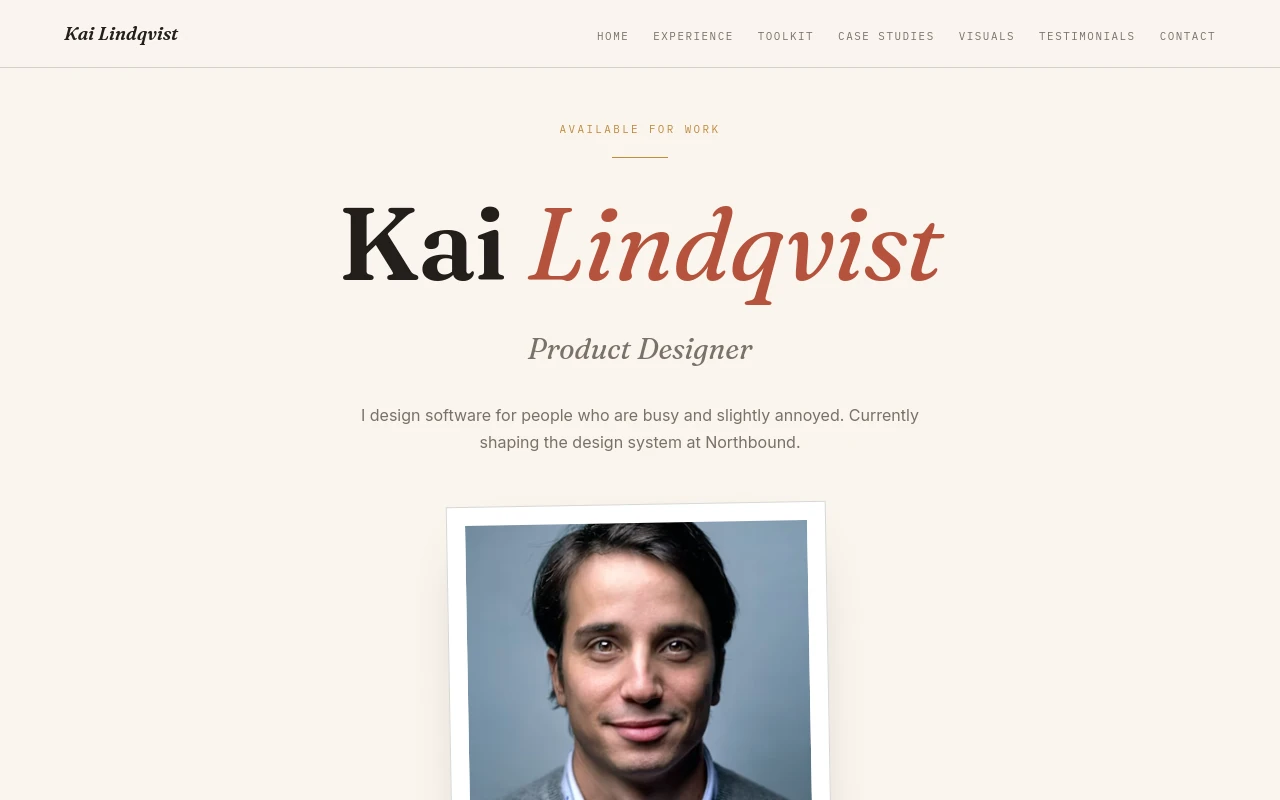
Kai Lindqvist’s product designer demo uses the Designer Editorial template. Use it to assess image spacing, project hierarchy and the balance between a short introduction and the work itself.
Before you publish
- Every case study states the brief and my role.
- Concept projects are clearly labeled.
- Images have captions that explain the design decisions.
- Client material is approved for public sharing.
Frequently asked questions
What belongs in a design case study?
Include the problem, your role, constraints, selected decisions and the final work. Add research or outcome claims only when you have evidence and permission to share them.
Can I use a personal redesign in my portfolio?
Yes, provided it is clearly described as self-directed concept work. Credit source material and do not imply a client relationship that does not exist.
Keep building your portfolio
Build a portfolio around your work
Choose a template, import your CV if you have one, and edit your projects. Free includes one private draft. Entry is $2/month for one published portfolio; Pro is $5/month for up to five. Both paid plans support your own domain; domain registration is separate.