Portfolio Website Builder for Photographers
A photography portfolio should make your images easy to explore and your specialty easy to understand. PortfolioBuild offers photography layouts for selected work, an introduction and contact information, without requiring you to code the site.
Edit the selection around the work you want
Choose images that support a clear specialty or a small number of related specialties. An editorial client and a family portrait client may need different evidence. Group work into coherent projects instead of making a visitor interpret an unstructured archive.
Within a series, vary scale, subject and rhythm while removing near-duplicates. Lead with an image that establishes the story. The goal is to help a visitor understand the work, rather than to include every photograph you are proud of.
- A clear specialty and location or travel scope, if relevant.
- A focused image selection grouped by project or service.
- Short captions that give context without covering the photograph.
- An About section and a direct booking or inquiry contact.
Provide context without distracting from the images
A project title and a short introduction can explain where a series was made and what connects it. Commercial work can identify the brief and your responsibility when the client permits it. Personal work should be labeled as such.
Write alternative text that describes the important content of an image rather than repeating “photography portfolio.” For a set of similar images, use the captions to explain the story and keep individual descriptions distinct.
Illustrative series introduction: “Morning departures is a personal documentary series about the first hours of a coastal town. The selection follows workers from the harbor to the market, using wide scenes and close details to establish the daily rhythm.”
Prepare images for a website
Export copies for the web instead of uploading your full camera originals. Check color, compression and sharpness at the size people will see. Keep archival originals separately. Large files can make a gallery slow, particularly on mobile connections.
Review portrait and landscape images in the selected template. A crop that works as a cover can hide the subject when displayed in a narrower card. Keep enough surrounding space, or choose a different cover. Check image permissions and remove sensitive location metadata before publishing.
Make inquiries straightforward
State the kind of commissions you accept and the information you need: location, date, intended use and a brief description. If your work is personal rather than commercial, a simple contact link may be enough.
Start from a photographer template in PortfolioBuild and preview the sequence on a phone as well as a large screen. This page describes portfolio presentation; it does not promise a store, print fulfillment or a client-proofing system. Choose additional services separately if your workflow needs them.
A photographer portfolio example to explore
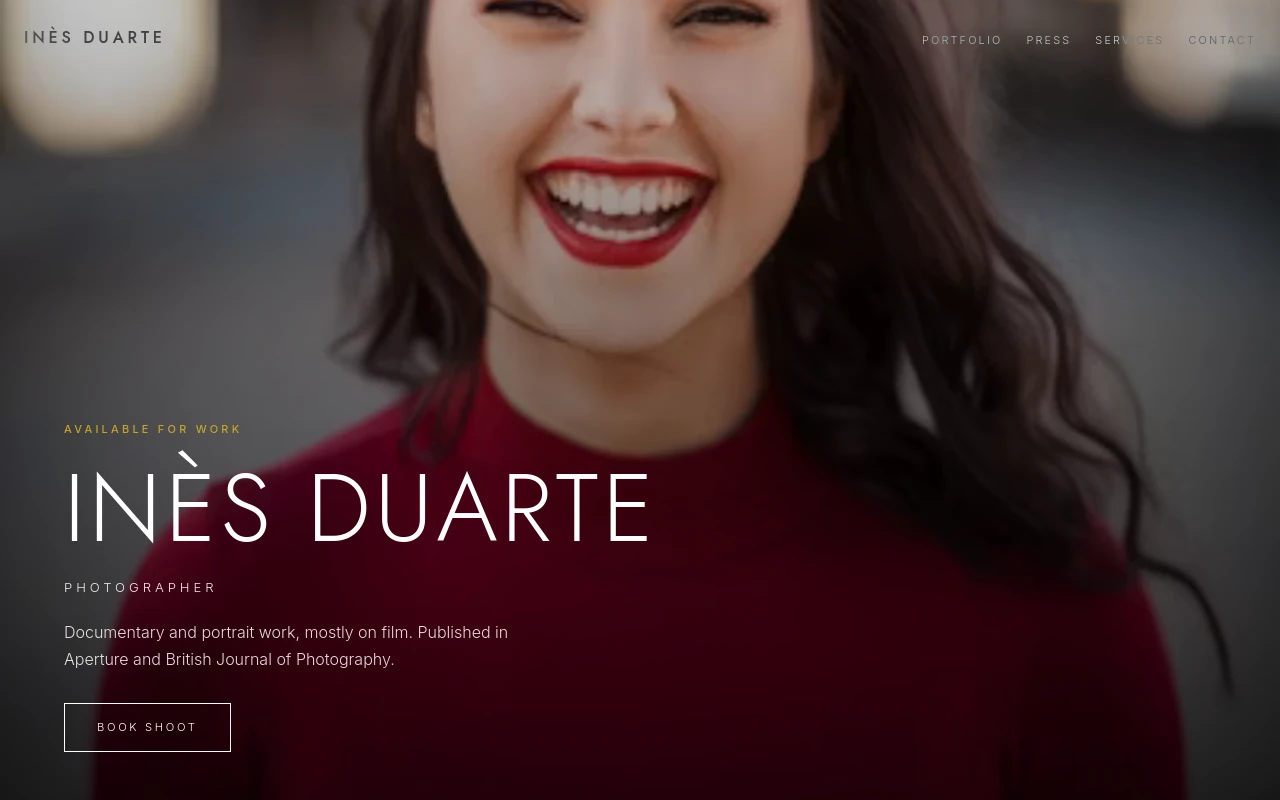
Inès Duarte’s photography demo uses the Photographer Fullbleed template. Open it to assess image scale and sequence. It is a demonstration account, so use your own photographs and project history for your site.
Before you publish
- The image selection supports a recognizable specialty or project.
- Crops work on both narrow and wide screens.
- Web exports load reasonably on a mobile connection.
- I have permission to publish the images and any client details.
Frequently asked questions
Should I upload full-resolution originals?
Use web-sized exports for your portfolio and keep the original files in your own archive. Inspect the published image quality and loading behavior on a phone.
Can I use my own photography domain?
Entry and Pro support a custom domain. You supply the domain and connect its DNS settings; buying the domain is separate from the PortfolioBuild subscription.
Keep building your portfolio
Build a portfolio around your work
Choose a template, import your CV if you have one, and edit your projects. Free includes one private draft. Entry is $2/month for one published portfolio; Pro is $5/month for up to five. Both paid plans support your own domain; domain registration is separate.